ClearCook parent guide

Screen-Free Cooking Activities for Kids

Quick answer: Good screen-free cooking activities include mixing pancake batter, making overnight oats, shaping cookies, assembling quesadillas, preparing sandwich fillings and sorting ingredients for a recipe. The activity works best when the instructions remain visible and the child makes something the family will actually eat.

In our house, cooking sounds like the perfect screen-free activity until the recipe is on a phone. Then the screen locks, the video races ahead and one of our children tries to swipe it with a hand covered in pancake batter. We have learned that the food is only half the problem. The format of the instructions matters too.

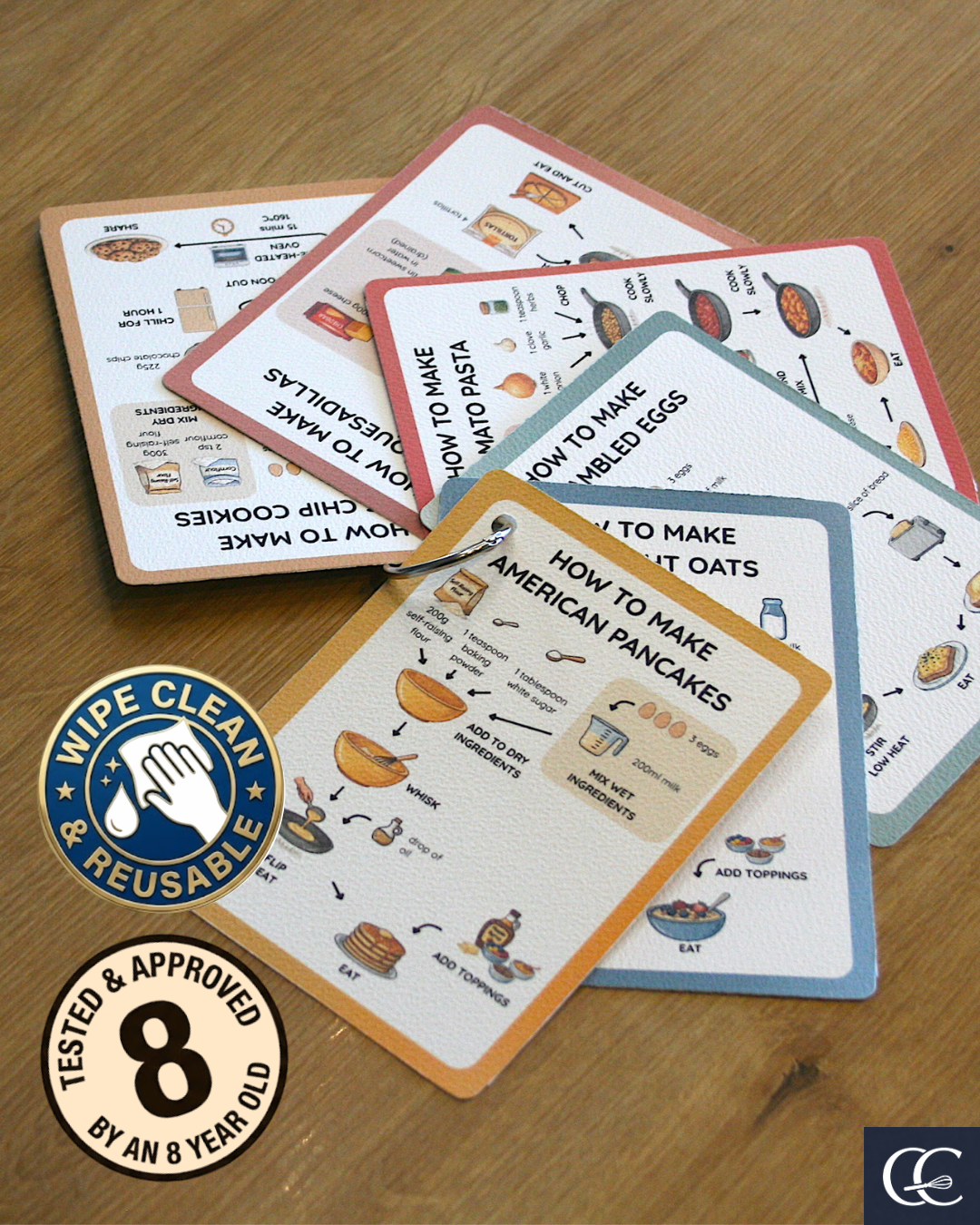
ClearCook visual recipe cards used for child-friendly cooking activities
Screen-Free Cooking Activities for Kids guide illustrated with ClearCook visual recipe card imagery.

In our house, cooking sounds like the perfect screen-free activity until the recipe is on a phone. Then the screen locks, the video races ahead and one of our children tries to swipe it with a hand covered in pancake batter. We have learned that the food is only half the problem. The format of the instructions matters too.

The recipe can become the most annoying bit

We have tried cooking from videos. They make everything look easy because the onions are already chopped and the waiting has been edited out. In our actual kitchen, somebody has to pause, rewind and work out whether their mixture looks anything like the one that flashed past three seconds ago.

When we use web recipes, there is often a long introduction, a cookie banner and enough advertising to make the instructions move while we are trying to read them. None of this is improved by sticky hands.

We own children's cookbooks that are tightly bound and printed on glossy pages. They close themselves or change page unless we wedge them open with something. Recipe books are surprisingly determined not to be used for recipes.

Choose the instruction format before the activity

There is no universally best format. A phone is convenient. Video can demonstrate an unfamiliar movement. A cookbook can contain years of good ideas. The useful question is whether the child can find the next step without repeatedly handing the problem back to you.

Format
Useful when
What tends to go wrong
Phone or tablet
You need a recipe immediately and do not mind using a screen.
The screen locks, scrolls or gets touched with dirty hands.
Short video
A child needs to see one unfamiliar action demonstrated.
Preparation and waiting are often hidden, so the child has to pause and rewind.
Cookbook
You want a collection to browse together before cooking.
Pages close, finished photographs set an intimidating target, and text can be dense.
Printed sheet
You need a cheap, disposable recipe for one session.
Paper moves, tears and does not enjoy water, egg or syrup.
Wipe-clean visual card
The child benefits from seeing the whole sequence and repeating it.
It only works for recipes you already have as a card.

Six activities that end with proper food

Children notice when an activity is only there to keep them occupied. Cooking is more satisfying when the result is breakfast, lunch or something worth sharing.

Good starting points

  • Measure and mix American pancake batter while an adult owns the pan.
  • Make overnight oats and choose tomorrow's toppings.
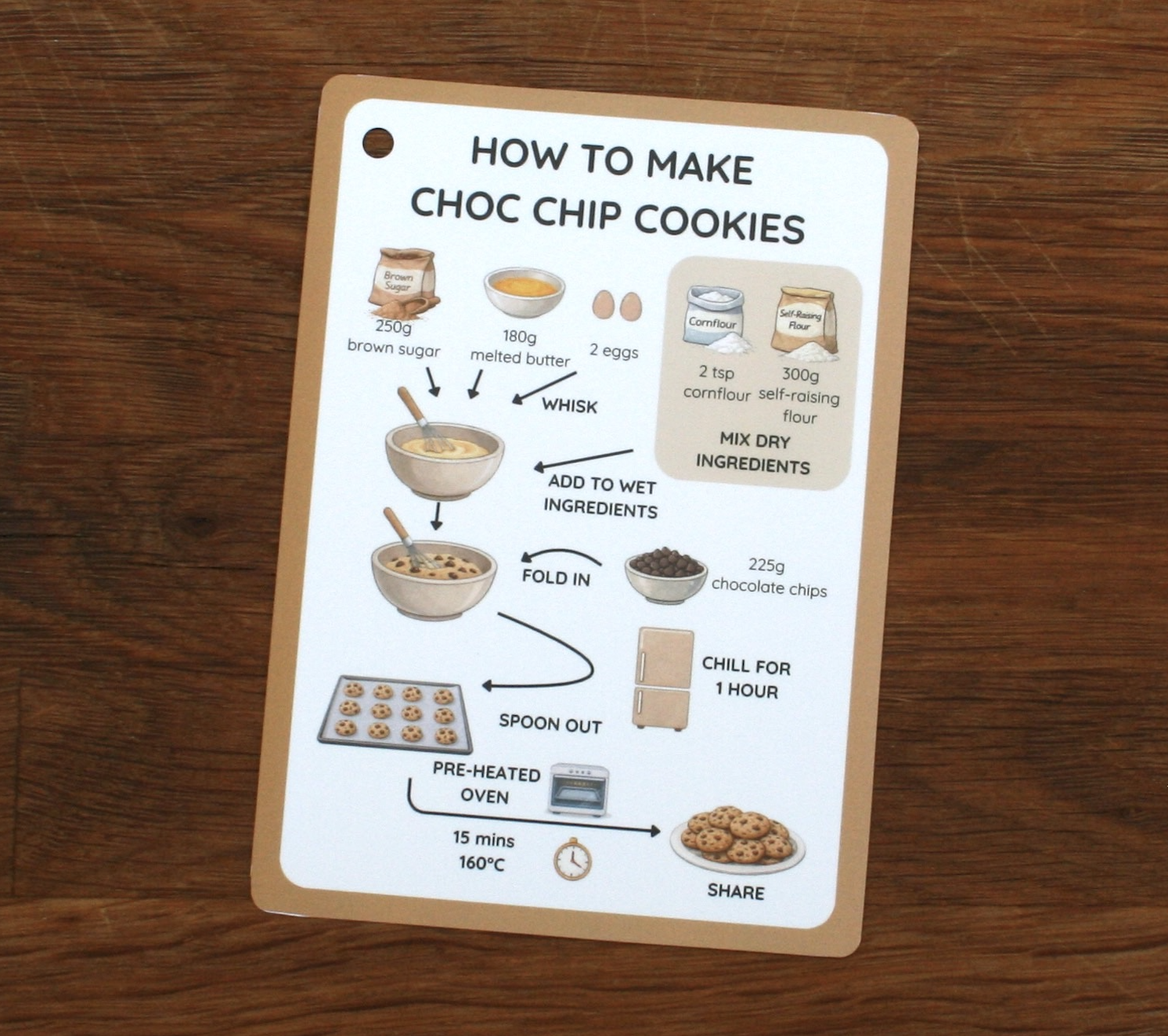
  • Weigh, mix and shape chocolate chip cookies while an adult owns the oven.
  • Mash beans, weigh cheese and assemble a quesadilla before the hot-pan step.
  • Prepare a sandwich or wrap from safe, ready-to-use ingredients.
  • Sort ingredients against a picture recipe, then put each one away after use.

Do not turn screen-free into another rule to enforce

Sometimes the online card is the easiest way to get started. That is fine. The aim is to get the child cooking, not to win a moral argument about screens.

If the child keeps losing their place or the phone becomes a distraction, move the same recipe onto paper or a physical card next time. Use the format that removes the most friction in your kitchen.

A useful test

Can the child check what comes next without asking you to unlock, scroll, rewind or explain the recipe again?

Use the online card to try the visual sequence before deciding whether a physical card would suit your kitchen.

Try a free visual recipe

Make progress visible

The Cooking Passport gives children a simple way to mark recipes cooked, skills practised and confidence gained.

Open the Cooking Passport

New cards

Hear first about new cards

Get a short note when new ClearCook wipe-clean cards and useful family cooking resources are released.

We'll send a ClearCook magic link so you can open the site logged in. Extra ClearCook emails are only sent if you tick the box below.

FAQs

Common questions

Does using an online recipe still count as screen-free cooking?

The cooking itself is still a practical, hands-on activity. If avoiding screens is important that day, print the recipe or use a physical card.

What is the easiest screen-free cooking activity?

Overnight oats are a useful first choice because there is no hob or oven. Pancake mixing also works well when an adult is available for the pan.

Are recipe videos useful for children?

They can demonstrate a particular movement, but they are harder to follow as a complete recipe because children need to pause and rewind while cooking.

Why use illustrations instead of finished-food photographs?

An illustration can show a recognisable target without suggesting that a child's result has failed because it does not resemble a professionally styled photograph.

What are visual recipes?

Visual recipes use pictures, short prompts and clear sequencing so children can follow cooking steps without relying on long written instructions.

What age are ClearCook cards for?

ClearCook is mainly designed for children aged around 4 to 11, with adult support adjusted to the recipe, child and safety risks.

Do children still need adult supervision?

Yes. Children can lead safe jobs, but adults should supervise heat, knives, graters, allergens, heavy equipment and hygiene checks.

Why use wipe-clean cards instead of a phone?

Wipe-clean cards stay visible, do not lock or scroll, and can handle flour, sauce and sticky hands better than a phone in the middle of cooking.